Copies you can trust
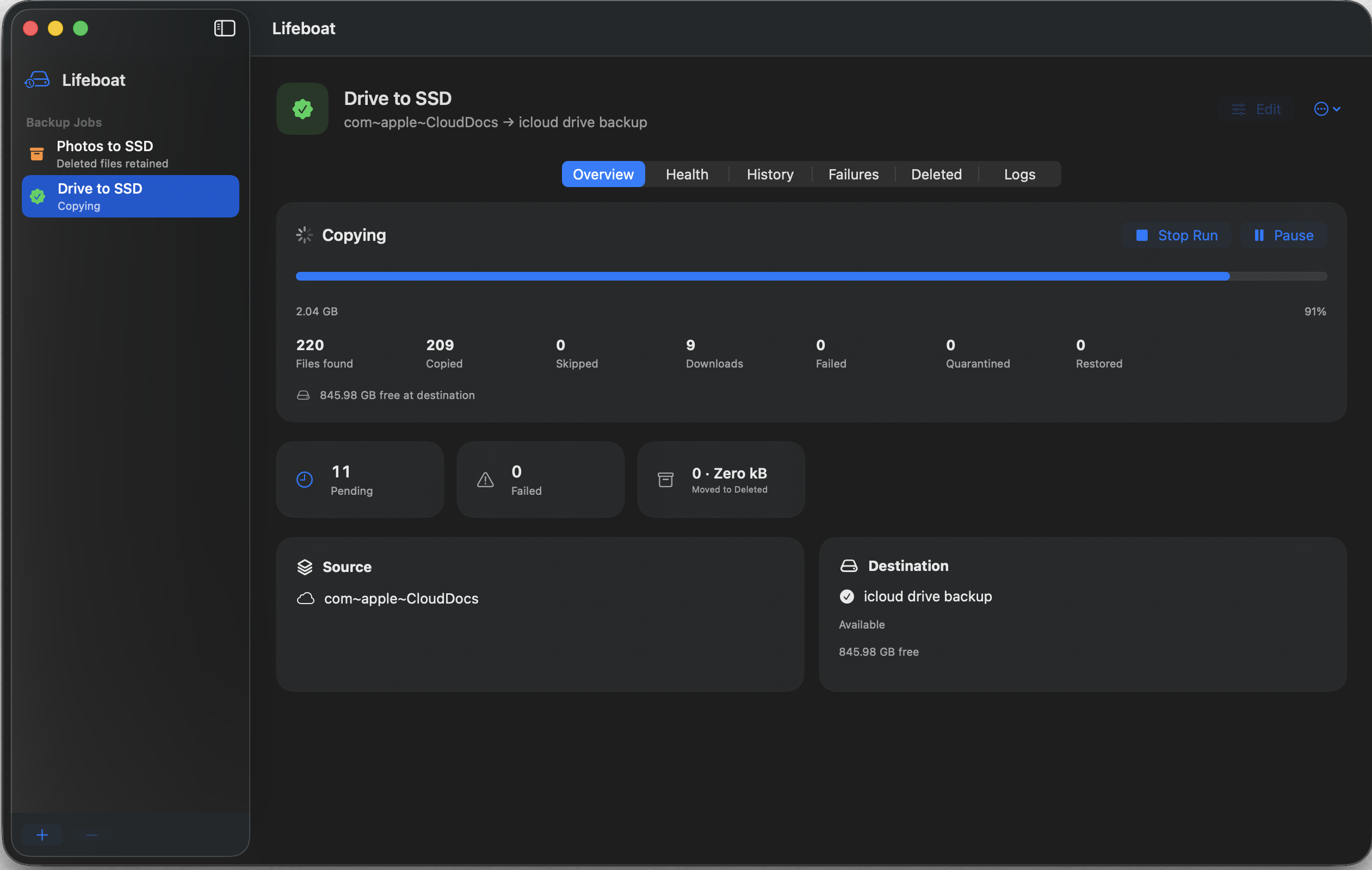
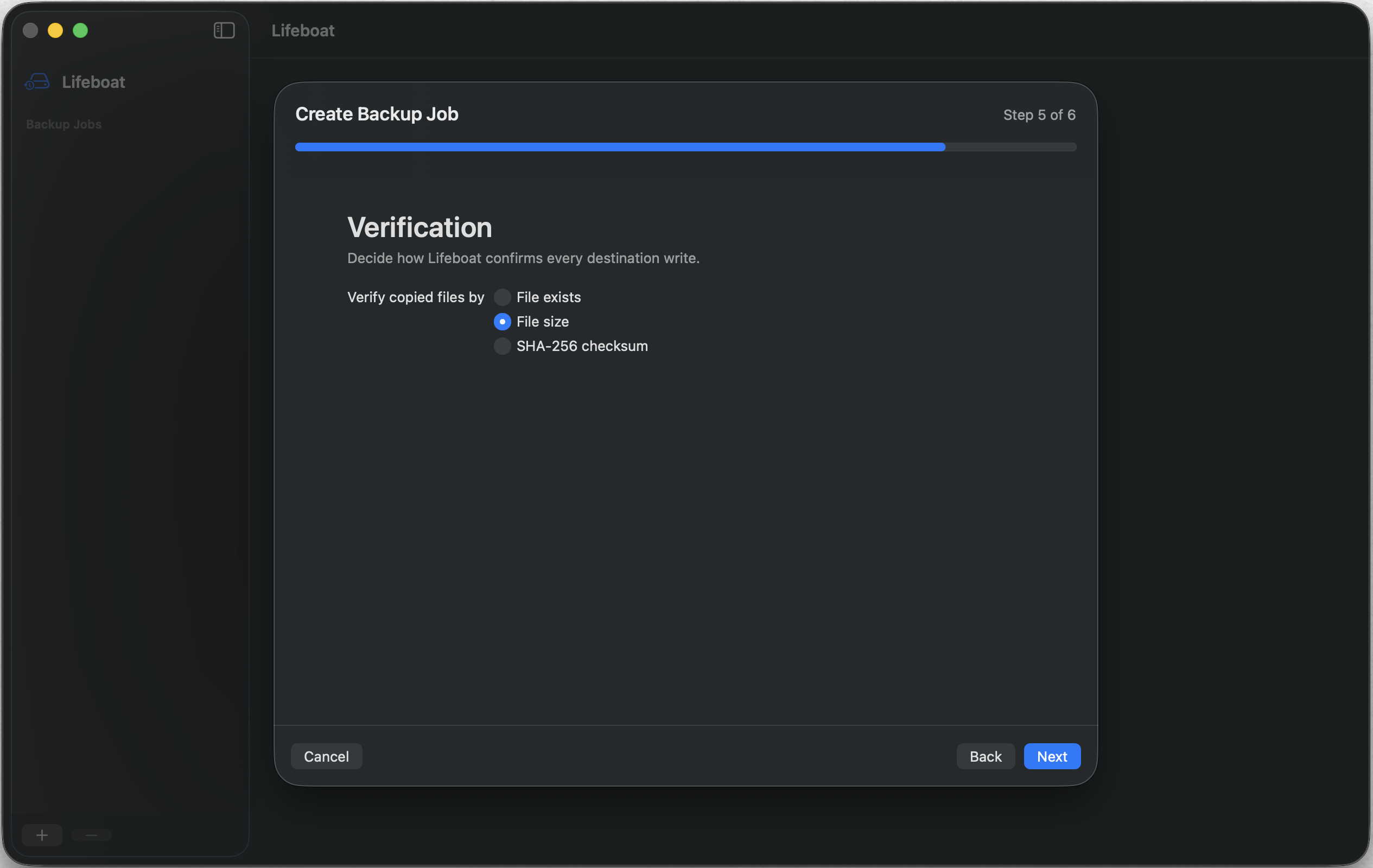
Verify every file after copying by size or SHA-256 checksum. Lifeboat shows you what was copied, skipped, or failed—without hiding the details.
 Lifeboat
A safer shore for your files
Back up your Apple Photos and iCloud Drive to a drive you can hold. Lifeboat makes verified, resumable copies—with no account and no cloud in between.
Coming soon to the Mac App Store · Requires macOS 15 or later
Built for the copy that matters
A cloud library can mirror an accidental deletion just as efficiently as a new photo. Lifeboat creates an independent copy on storage you control, then checks that it arrived intact.
Verify every file after copying by size or SHA-256 checksum. Lifeboat shows you what was copied, skipped, or failed—without hiding the details.
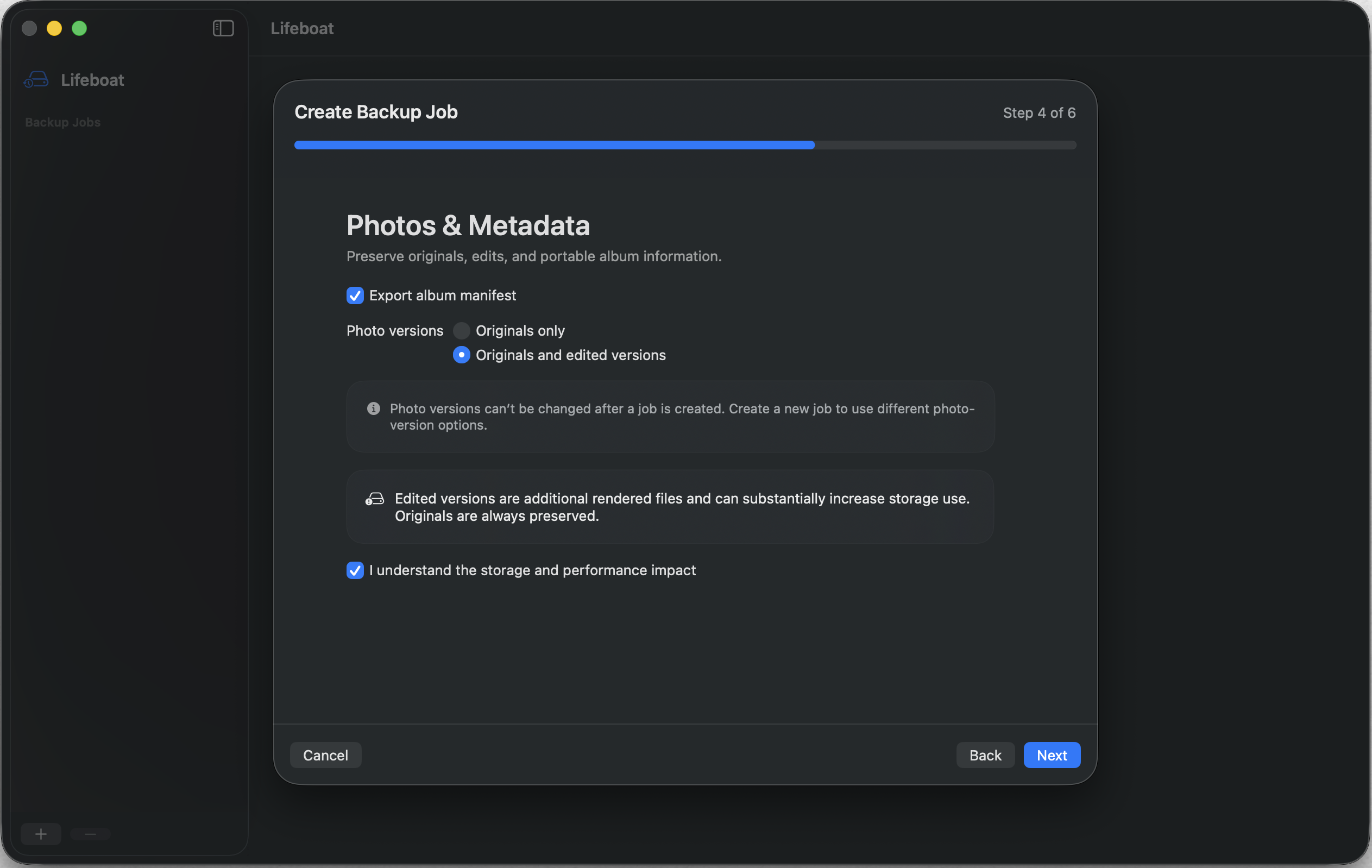
Export full-quality Apple Photos originals, including Live Photos and RAW files, with optional edits and album manifests.
Interrupted backups pick up where they left off. Closing the lid or disconnecting a drive never turns a partial run into a false success.
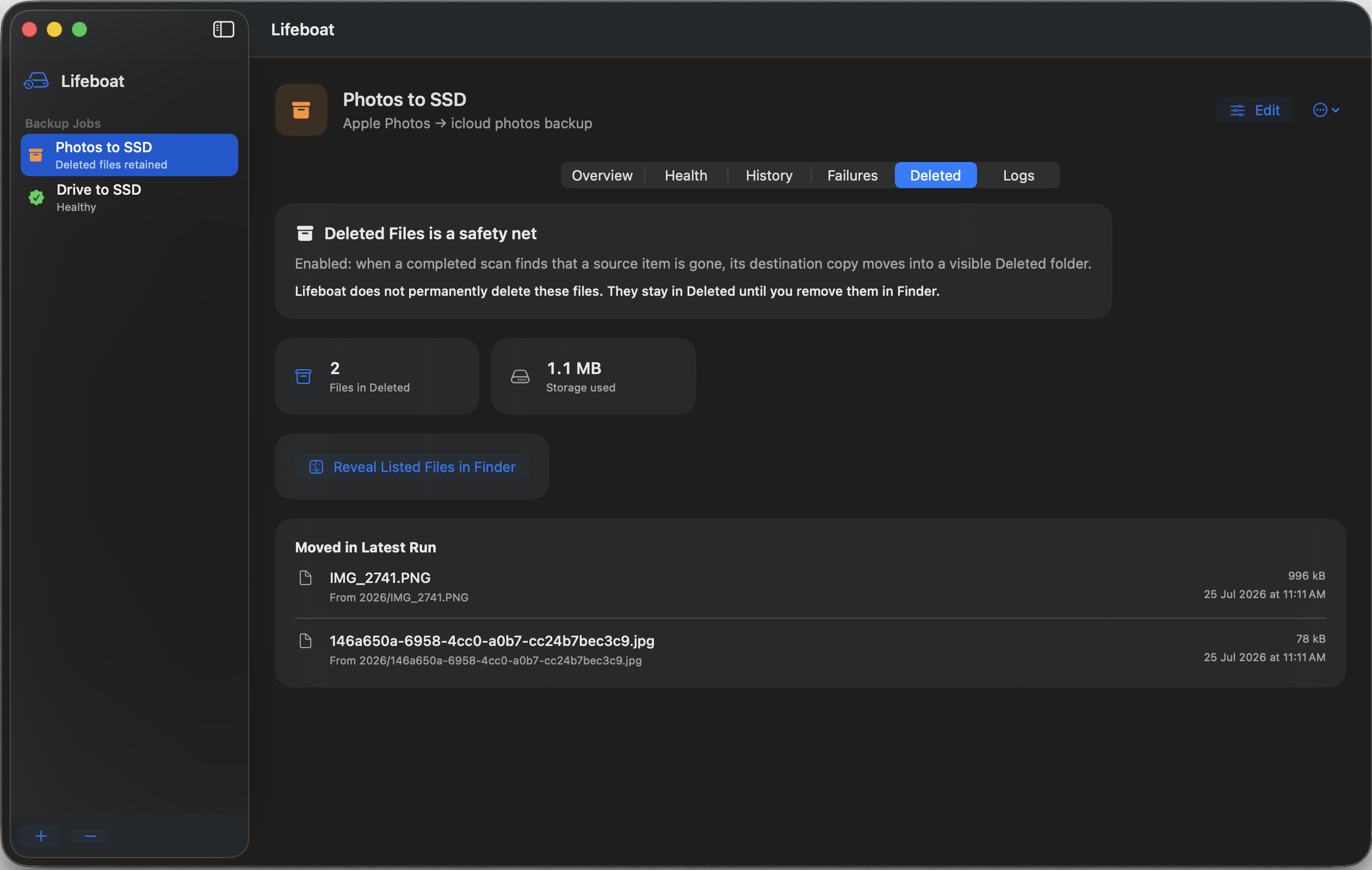
When a source item disappears, its backup moves to a visible Deleted Files folder. Review it, restore it, or remove it yourself in Finder.
Choose what to preserve, decide how each file is verified, and keep removed items visible.
Private by design
Your photos and files never pass through a Lifeboat server. The app is sandboxed, asks only for the access it needs, and redacts file names and paths from diagnostics.
Read the privacy policyChoose what matters. Choose where it lives. Lifeboat takes care of the copying, verification, and safe recovery path.
Stay in the loop